Automating TV power with HDMI-CEC
My TV has a two-step power-on sequence:
Turn on the TV with the IR remote
Wake up the attached home theater PC (HTPC) by tapping the trackpad or spacebar
I was never happy with the two-step process. I wanted my TV to turn on and off automatically like a computer monitor.
Computer monitors use the VESA Monitor Control Command Set (MCCS) over the Display Data Channel Command Interface Standard (DDC-CI), and I have written a Python library monitorcontrol for this in the past.
TVs use a different standard, High-Definition Multimedia Interface - Consumer Electronics Control (HDMI-CEC). For some inexplicable reason, HDMI‑CEC support is rare on PCs; even high‑end graphics cards such as NVIDIA’s GeForce RTX 5090 (currently priced at $6,000 in Canada) lack HDMI-CEC.
I don’t have a complicated home theater setup and my goal is simple: I want my TV to turn off when my HTPC suspends, and turn on when my HTPC resumes.
Abandoned solutions
This isn’t my first attempt at this project. These are the solutions that didn’t work.
Raspberry Pi
My first attempt was in mid 2021, when I used a Raspberry Pi as an HDMI-CEC controller. The Raspberry Pi solution had several problems:
Latency: The Raspberry Pi took seconds to power on/off the TV
Reliability: Commands failed frequently
libcecupdates frequently broke the simple features I relied on
These are all likely software problems that I could have fixed, but I felt that a Raspberry Pi was overkill for this project.
STM32H7
My second attempt was in late 2021, this time using a device I had more control over, an STM32H7 development board with a STM32H743ZI microcontroller. At the time, this was one of the few microcontrollers that had a dedicated on-chip HDMI-CEC peripheral.
I bought an HDMI port breakout board, soldered two wires on, HDMI-CEC and GND, then connected this to the board.
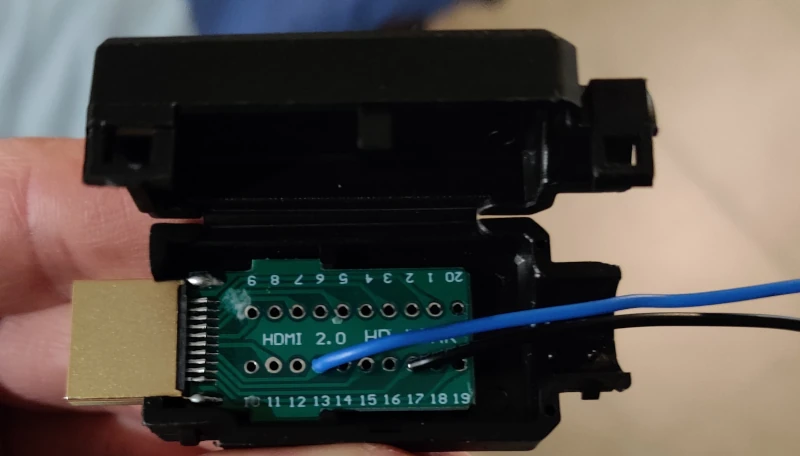
HDMI breakout board with a wire for the CEC pin (blue) and ground (black).
I wrote a driver for the HDMI-CEC peripheral in Rust stm32-cec, and using that driver wrote a prototype firmware hdmi-cec-ctrl that exposed a USB serial endpoint.
Sending 0 over serial turns the TV off, and sending 1 turns it on.
This met my latency and reliability requirements, but it wasn’t a polished package. I had the dev board gaffer taped onto the back of my TV.
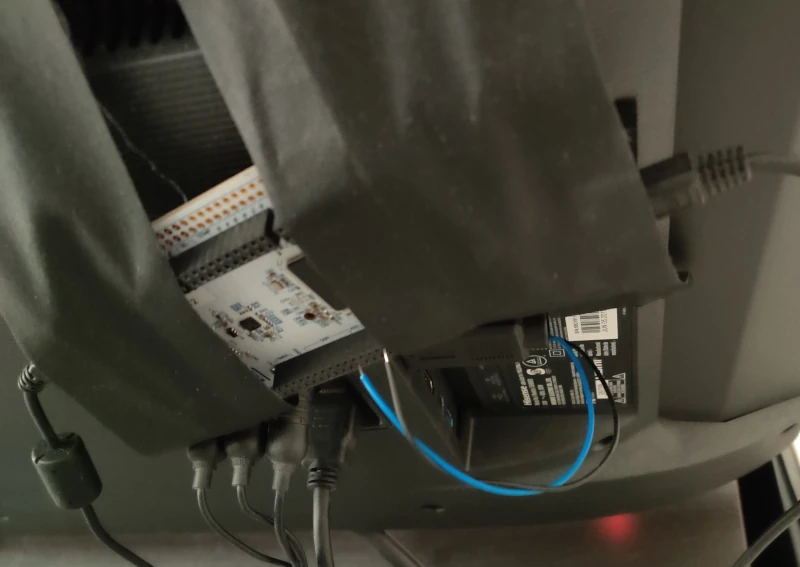
I intended to fabricate a PCB, 3D print a case, and create a smaller polished device, but the STM32H743ZI was out of stock in 2021 due to the 2020-2023 global chip shortage, and my temporary prototype became permanent.
pico-cec
Recently I wanted to revisit this project and polish it off. The STM32H743ZI is in stock now, but it had been nearly 5 years since I did my research and I wanted to check that my idea was still the best solution. Turns out it wasn’t!
I found a GitHub repository gkoh/pico-cec created in May 2024 to solve a similar problem using a much cheaper microcontroller, the Raspberry Pi RP2040.
The bill of materials for gkoh’s solution is $15.23 AUD, and is built with off-the-shelf components, no PCB fabrication required.
I built my own unit following the instructions with only a couple of hardware modifications:
I used the RP2040 instead of the newer RP2350 because the RP2350 was out of stock
I didn’t connect the pico’s USB 5V to HDMI pin 18 because it wasn’t necessary for my use case
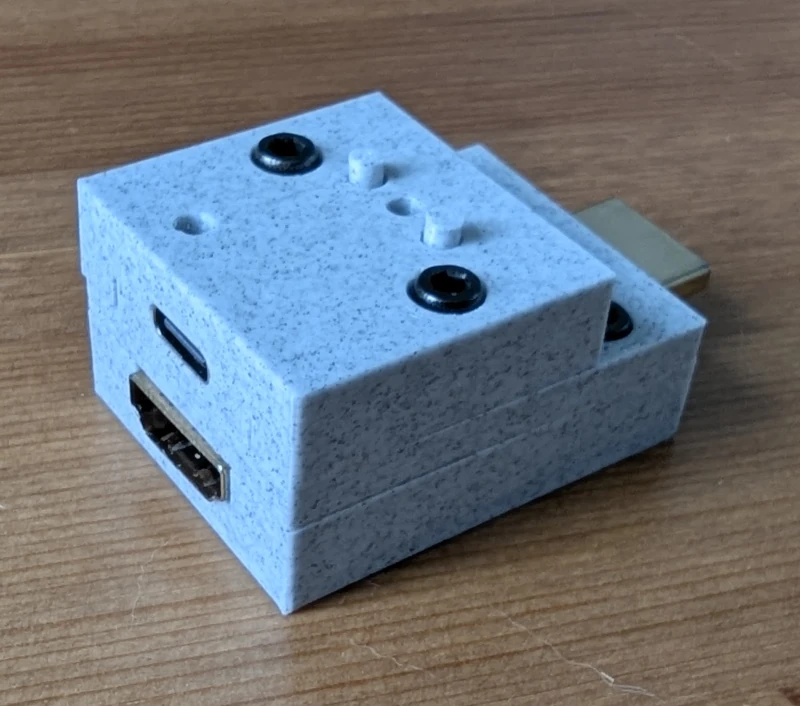
My complete pico-cec build
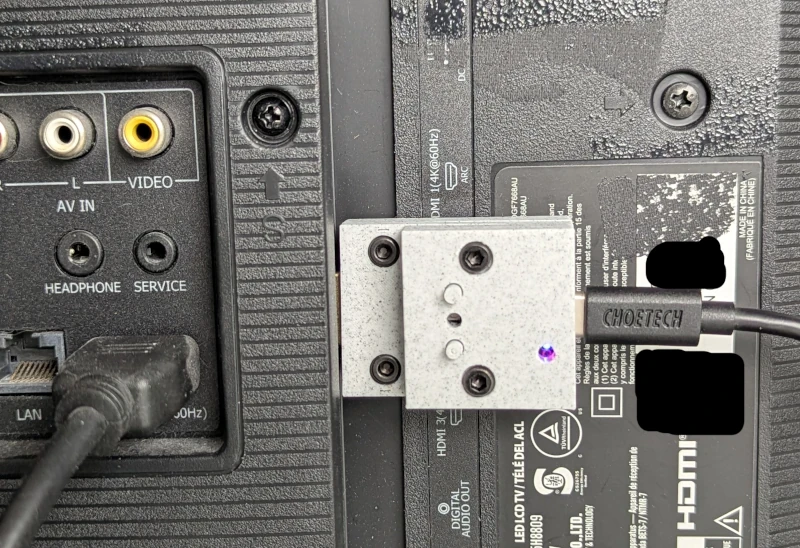
The device is incredibly compact and doesn’t require tape to hang onto the back of my TV.
Firmware modifications
The pico-cec was created for a different purpose, it listens to the HDMI-CEC bus for commands from a TV remote and translates the commands into keyboard keypresses that allow TV remotes to navigate home theater software like Kodi.
My use case is the opposite. I use a keyboard for my TV remote, and I wanted keyboard input to output HDMI-CEC commands from the pico-cec.
pico-cec has an existing serial interface for management. I submitted a small pull request gkoh/pico-cec/pull/73 to add a send command to broadcast the HDMI-CEC “set image view on” and “set standby” commands.
> send 4
> send 36
Software
On my HTPC I wrote a small Python script to send commands to the pico-cec and check the output for errors.
cec_power.py script to communicate with the pico-cec¶#!/usr/bin/env python3
import argparse
import re
import serial
import sys
NOISE = {"Disconnected", "Connected"}
def strip_ansi(s):
return re.sub(r"\x1b\[[0-9;]*[a-zA-Z]", "", s)
def main():
parser = argparse.ArgumentParser(description="HDMI CEC power control")
parser.add_argument("state", choices=["on", "off"], help="Power state")
args = parser.parse_args()
command = "send 4" if args.state == "on" else "send 36"
with serial.Serial(
"/dev/serial/by-id/usb-TinyUSB_TinyUSB_Device_123456-if01", 115200, timeout=5
) as ser:
ser.write((command + "\r\n").encode())
raw = strip_ansi(ser.read_until(b">").decode())
output = raw.split(">", 1)[0].replace(command, "", 1)
output = "\n".join(
line for line in output.splitlines() if line.strip() not in NOISE
).strip()
if output:
print(output)
sys.exit(1)
if __name__ == "__main__":
main()
My HTPC uses hypridle as the idle daemon, and I added a simple listener to call this script.
cec_power.py¶listener {
on-resume=python3 /path/to/cec_power.py on
on-timeout=python3 /path/to/cec_power.py off
timeout=300
}
Now my TV turns on with any keyboard input and turns off after 5 minutes of idle time, the single-step experience I wanted from the start. The whole setup cost $15 and fits neatly behind the TV, a long way from my gaffer-taped STM32H7 dev board.